
You have downloaded a .nzb file, double-clicked it, and nothing happened. Or Windows asked which app to open it with. Don’t worry, that’s normal. An NZB isn’t the file you want: it is a list of where to find it.
What is an NZB file?
An NZB file is a small text file (written in XML) that lists every piece of a download posted on Usenet. Big files are split into thousands of parts. The NZB tells a downloader the exact ID of each part, so it can fetch them all and rebuild the original files. The format was first used by the Newzbin site in the 2000s, which is where the name comes from.
If you open an NZB in Notepad, you will see long lists of <segment> lines. Those are the pieces.
What you need to open it
- A Usenet downloader that understands NZB files.
- A Usenet provider account, because the pieces are downloaded from your provider’s servers. An NZB on its own can’t download anything. See choosing a provider.
How to open an NZB file with NZB Grab
- Download NZB Grab and run the installer. Tick the option to add a right-click Send to NZB Grab, which is handy.
- Open NZB Grab. The first time, it asks for your provider: click Add my provider, enter the server, username and password, then click Save server.
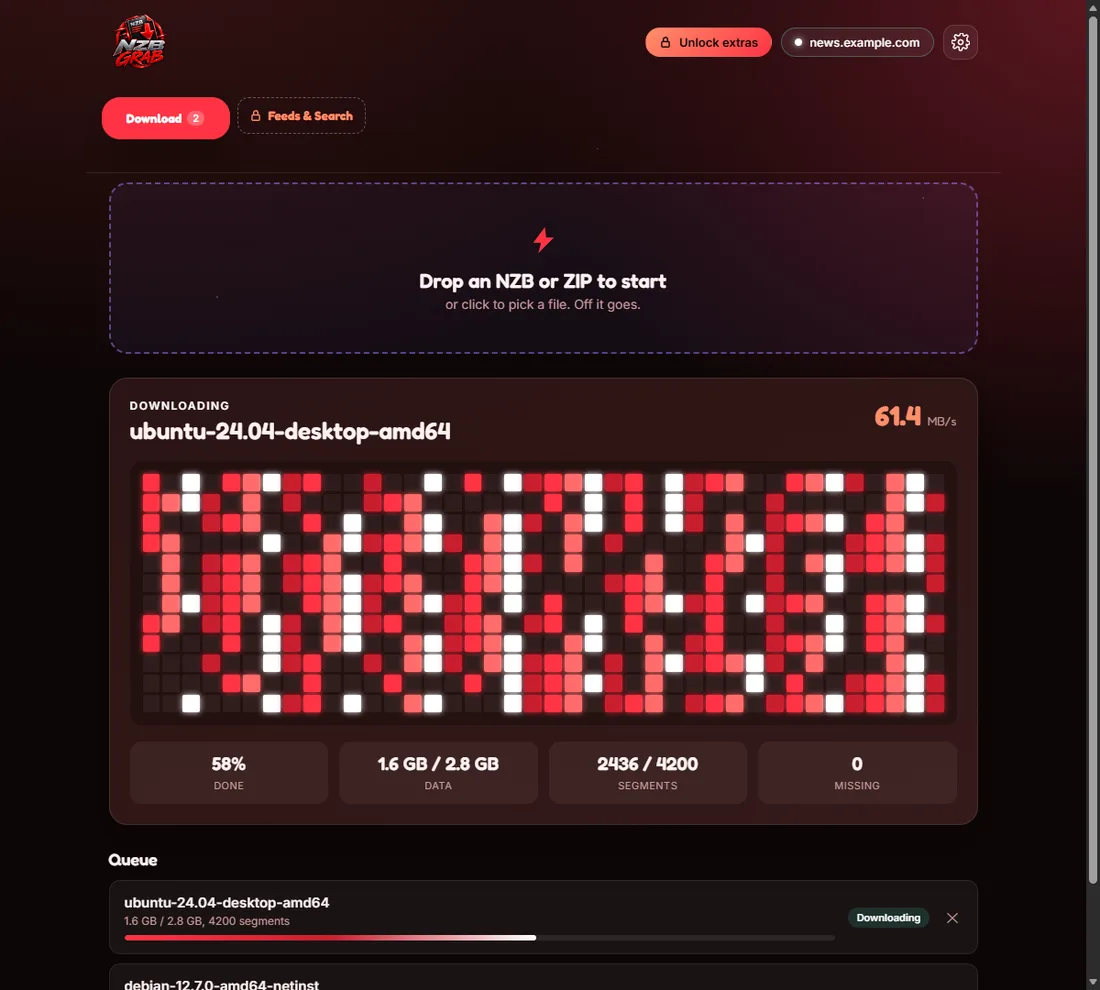
- Drag your NZB file onto the NZB Grab window, click the drop area to pick a file, or right-click the file and choose Send to NZB Grab.
- Watch the segment grid fill up. When it’s done, NZB Grab checks the files, repairs any damage with PAR2, and unpacks any RAR, 7z or ZIP archives.
- Open the finished folder with one click.

Why does my NZB download fail or come out incomplete?
- Missing articles. Some pieces may no longer be on your provider’s servers. NZB Grab downloads PAR2 recovery files only when they are needed and repairs what it can. Read how PAR2 repair works.
- Login problems. Check your provider’s username, password, server name and port. See SSL, ports and connections.
- Too many connections. Setting more connections than your plan allows can cause errors.
Can I open NZB files on a phone or Mac?
NZB Grab is made for Windows 11 and 10. Other platforms have their own Usenet apps, but the steps are the same: a provider, a downloader and your NZB.
Try NZB Grab free
Drop in an NZB and NZB Grab downloads, repairs and unpacks it for you. PAR2 and unrar are built in, so there is nothing else to install. Free for Windows 11 and 10.